

‘Speed to lead’ is a boardroom mantra, yet most event leads still wait days for a response. Responding within five minutes makes you far more likely to connect and qualify, but once badge scans and business cards hit scanners or spreadsheets, they tend to stall.
Whether you’re running 10, 20, or 50+ events a year, slow follow-up quietly wastes the conversations you paid to have and the pipeline you expected them to create.
If your own event momentum drops as soon as the show ends, we’ll break down all the reasons why. Read on to see how conversion odds collapse minute by minute, which bottlenecks slow event leads, and how to fix them so conversations at your booth turn into pipeline rather than cold lists that never convert.
5 Key Takeaways
- Speed to lead at events decides whether your most expensive channel actually turns conversations into revenue.
- The decay curve is steep – minutes matter more than lead score when someone steps away from your booth.
- Most lead quality complaints are timing complaints in disguise — fix response time, and you can turn ‘bad’ leads into good ones.
- The real problem is structural – limited scanners, complex spreadsheets, and catch‑all email queues slow everything down.
- An event revenue engine like Romify proves what happens when scan, enrichment, routing, and follow-up run in minutes instead of days.
What Speed to Lead Means And Why It Matters
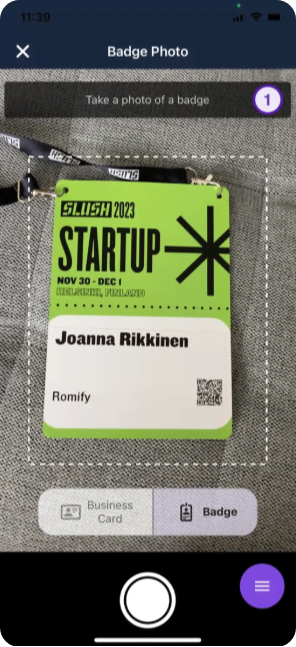
Speed to lead is the time between capturing someone’s details at an event and your first follow-up. This needs to be meaningful, be it a live call, a personalized email, or a LinkedIn message that reflects the booth conversation and a prospect’s preferences. Speed to lead turns brief interest into real momentum, deserving the same treatment as any core revenue metric.
The closer that touch lands to the moment you scanned a badge, the more you’re working with a warm interaction instead of trying to re‑ignite interest.
What Slow Response is Costing You
Slow response is lost revenue. Here’s the math:
- Monthly Leads × Conversion Rate × Average Deal Size = Potential Revenue
“Apply the math only to leads you reach in the first five minutes — everything else is loss. As time passes, more leads slip into the ‘too late category – they sit in your CRM, but rarely close. Coming in second or third undermines your effort and budget.”
~ Janet K., CMO
To calculate your own potential revenue, use our calculator below.
Why Delay Lets Competitors Step In
Right after you capture someone’s details, they’re still in an active evaluation mode. On the show floor, that window is tiny – prospects can visit three or four booths in minutes, and whoever follows up first usually captures the most attention.
A large share of leads come in outside business hours, so decay runs on the buyer’s clock. If your first meaningful touch waits for an hour or more, you’re likely arriving after a competitor has already replied, booked time, and turned a casual chat into a real opportunity.

How to Calculate Your Speed to Lead
Speed to lead is easy to calculate:
- Speed to lead = (sum of first‑response times) ÷ (number of leads)
- Start time = lead creation (form submit, chat start, badge scan)
- End time = first meaningful human response, not an auto‑reply
One study found teams relying on automation alone still took hours to get a real person involved. Track the median instead of the average to avoid any unforeseen delays that hide the real pattern, then segment by source and rep so you can see where the actual bottlenecks sit.
How Conversion Rates Collapse After Five Minutes
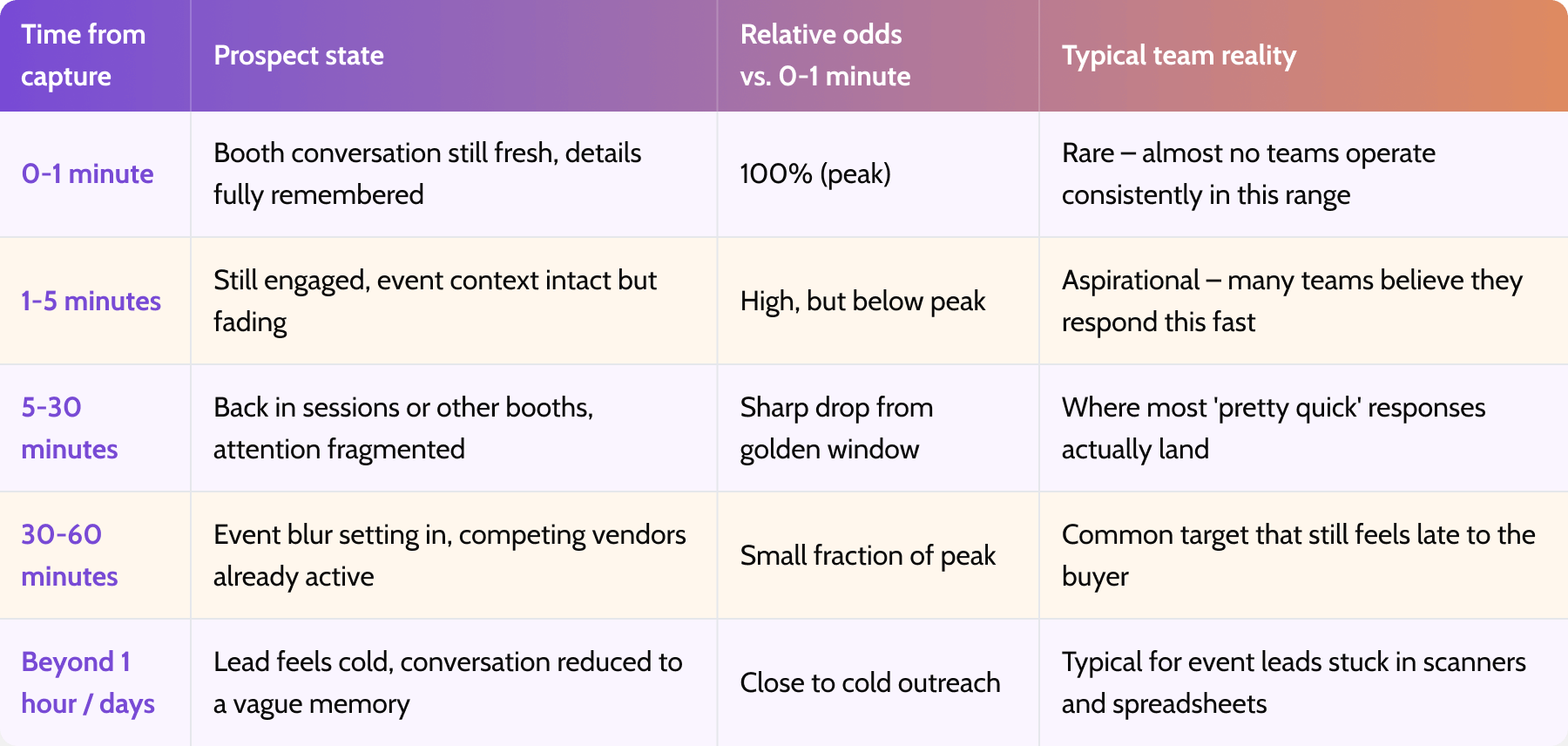
Speed to lead follows a quick decay curve. The first few minutes after an inquiry act like a multiplier on contact and qualification rates, and the drop between 5 and 30 minutes is where most teams quietly lose deals.
0 to 1 Minute: Peak Contact and Conversion
This is the sweet spot. You’re following up while the conversation at your booth is still fresh and the prospect remembers your name, your product, and why they stopped. Almost no teams operate consistently in this sub‑minute range, which is why those that do enjoy an outsized advantage.
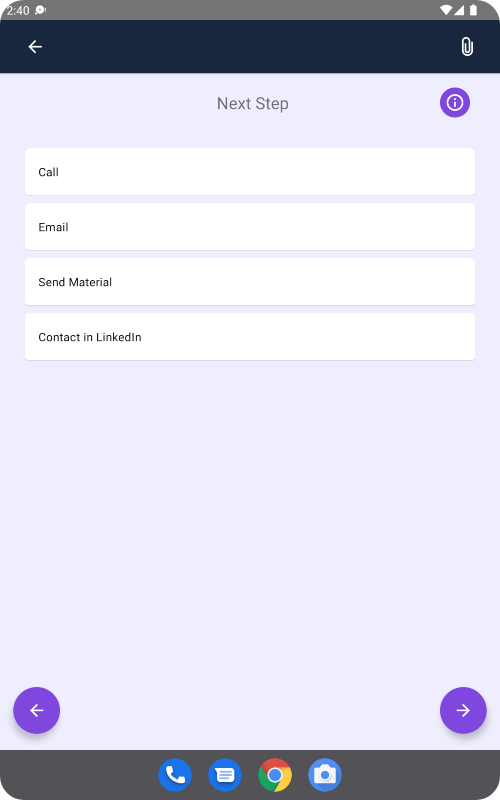
For events, an email that lands within seconds of a badge scan feels like a natural continuation of the chat, not a new touch the prospect has to re-contextualise. Romify helps teams hit this window by capturing event leads on the spot, enriching them immediately, and triggering follow-up emails as soon as a badge is scanned, instead of waiting for post-event CSV exports and manual uploads.
1 to 5 Minutes: The Golden Window
The next best window runs from one to five minutes. Response rates and qualification odds are still strong, but they’re already lower than in that first minute. Most teams miss this slot entirely, because their ‘fast’ response is actually measured in hours or days. Think of this as the last point where your outreach feels immediate rather than delayed. After this, you’re playing catch-up instead of leading the conversation.
5 to 30 Minutes: The Drop Teams Miss
Once you pass five minutes, qualification odds fall sharply. Prospects are back in sessions, at other booths, or dealing with work in between meetings. Many leaders assume their team is still responding inside the golden window, only to discover most touches land here instead — the ‘pretty quick’ zone that behaves much closer to slow follow-up.
One executive who tested his own lead form found his team took almost a week to call back, and he had no idea – this kind of blind spot is common.
Beyond 30 Minutes: Late is (Almost) the Same as Never
Beyond 30 minutes, you’re working with a fraction of the opportunity you had earlier. Once you’re an hour or more out, you’re effectively cold again. Event blur sets in, details are fuzzy, and your email reads like a generic nurture touch.
For event leads, beyond 30 minutes usually means days anyway, because badge data sits in scanners, spreadsheets, or portals before anyone can even start follow-up. By the time your message goes out, you’re competing with every other forgotten conversation from the show.
Speed-to-Lead Decay at a Glance
What Slows Lead Response and How To Fix It
Slow lead response is usually down to the system you’re using. The same structural bottlenecks repeat across teams, and each has a straightforward fix once you name it. Pairing the problem with the remedy helps you diagnose your own setup and see where the fixes lie.
How Manual Routing Stalls Lead Response
Leads that land in shared inboxes or generic CRM queues turn from hot into lukewarm, and then cold very quickly. People naturally cherry-pick what looks easiest or most promising, and the rest sit untouched. Response times then depend on who happens to check which inbox.
The fix is automated assignment using criteria you control – territory, account owner, availability, or lead score. Every new event lead should go straight to a named owner, instead of hoping someone refreshes a shared folder at the right moment.
Romify syncs enriched event leads into Salesforce, HubSpot, or other CRMs in real time, where your existing routing and owner-assignment workflows can take over to assign each record to the right person.
How Disconnected Systems and After-Hours Gaps Hurt
When capture tools and your CRM don’t talk to each other, every lead requires manual effort – export, clean, import, dedupe, assign. At events, this gets worse because most organizers don’t provide APIs, so badge scans and sign-ups sit in separate portals until after the show. Evening networking compounds the delay – leads collected late in the day often wait until Monday.
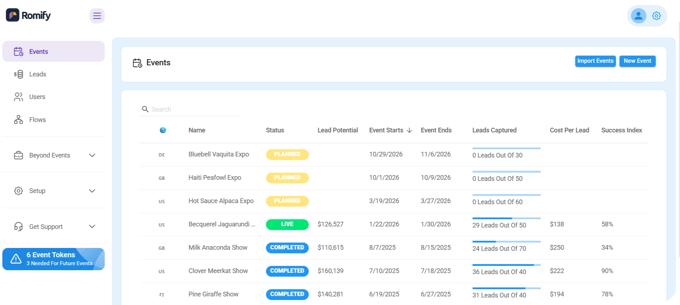
The fix is twofold: automatic acknowledgments that trigger regardless of time zone or hour, and native integrations with an Event Revenue Engine like Romify that creates and enriches records the moment you capture them. What’s more, the Events Hub dashboard even calculates cost-per-lead and your success percentage, making it easy to see if an event has justified its initial expenditure.
How to Automate Without Losing Personalization
The fear is that faster automation creates robotic responses that erode trust. The fix is to let automation handle speed and logistics while humans handle substance.
Use workflows for instant acknowledgments, routing, and enrichment so nothing sits in a queue. Then make the first real touch short and specific – a few lines that reference what you talked about at the booth, with a clear next step.
Templates can still help, but they should leave room for real context rather than pushing out the same generic paragraph to everyone.
Prioritization Pitfalls That Break Fast Routing
Speed without prioritization just moves the wrong work to the front of the line. Score leads at capture so high‑intent conversations – real projects, buying roles, clear timelines – always get human attention first.
Watch for three traps that quietly slow everything down:
- Spam and low‑fit leads soaking up rep time.
- Hot leads being routed to people who are already at capacity.
- Automated follow‑ups that make the dashboard look fast while genuine follow-ups still take hours or days.
“For events, remember the biggest choke point often sits before the CRM: if badge scans, spreadsheets, and business cards don’t hit your system in real time, every routing rule in the world comes too late.”
~ Ben Jablow, Romify CEO
How Romify Fixes Speed to Lead at Events
As we’ve seen, events are where speed to lead means everything. Teams run their fastest, most expensive channel on the slowest follow-up process, then wonder why event ROMI feels uncertain. Romify solves that problem by turning in-person conversations into a qualified, CRM-ready pipeline in seconds instead of days.
Follow-ups That Fire Within Seconds of Capture
With Romify, personalized follow-up emails can be sent immediately after capture. Hot and warm leads don’t get the same generic note – Romify’s follow-up engine uses qualification answers to trigger different messages for different tiers.
B2B companies that previously took months to follow up on event leads can cut that delay to under an hour, simply by using the right software. Your follow-up becomes timely and relevant, skipping the small talk of having to remind your prospect who you are, where you met, and what you talked about. This is how solid, long-term relationships are made.
How Romify Captures and Routes Event Leads
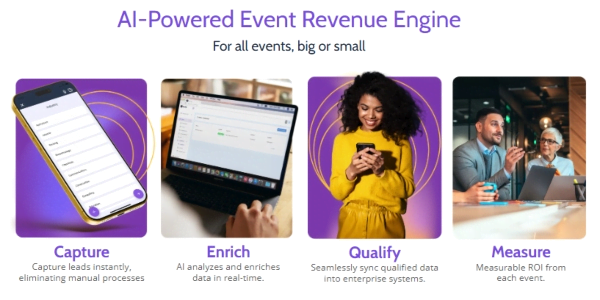
Romify turns a badge scan into a sales-ready record in one flow:
Badge scan > AI enrichment > In-conversation qualification with Flows > Instant personalized email > CRM sync.
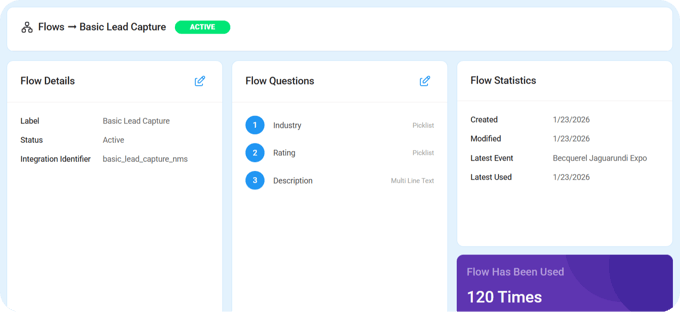
There are no CSV downloads, manual uploads, or dependencies on event organizer integrations, so it works at any event type and size – with or without WiFi.
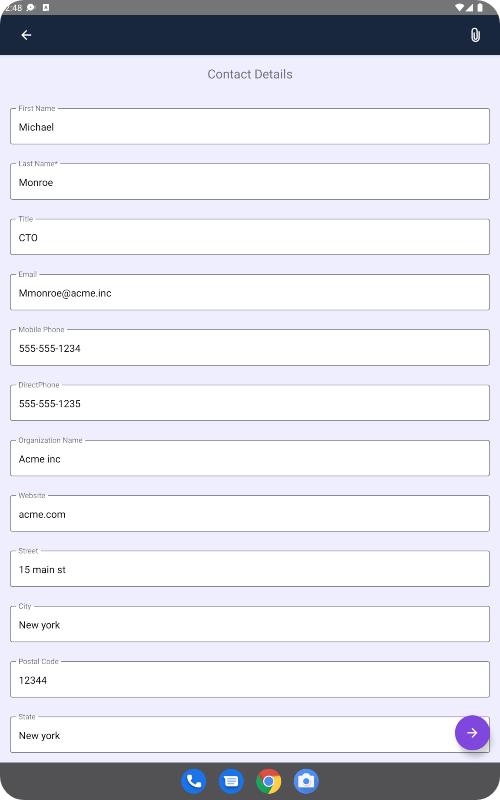
By the time a rep sees the record in Salesforce or HubSpot, the lead is already enriched, scored, and contacted, so they can focus on the next meaningful touch, not administrative cleanup.
Find Your Gap and Fix It
Speed to lead is only useful once you measure it honestly.
- Step one is to calculate speed to lead by channel, separating event-sourced leads from inbound.
- Step two is to identify your biggest bottleneck – manual routing, disconnected systems, after-hours gaps – and implement the specific fix that removes it.
For many B2B teams, the widest gap sits in event follow-up, where the strongest conversations get the weakest response.
If that’s true for you, book a Romify demo to see what happens when badge scans, enrichment, qualification, and follow-up all happen within seconds instead of days.