

Effective event lead capture needs to go well beyond badge scanning and contact collection. B2B events provide opportunities to boost revenue, so the difference between a 30-second CRM sync and 3-14 day CSV upload is massive. The former puts you in the best position to make a sale, while the latter leaves you late to the party.
In this guide, you’ll see how event revenue leaks before it reaches your CRM, which types of tools suit different teams, the criteria needed to evaluate them, and the workflows and metrics that actually prove Return on Marketing Investment (ROMI).
You’ll see what true event lead capture looks like in real life – and how Romify’s event revenue engine puts that standardized workflow into practice, in no time at all.
5 Key Takeaways
- Most poor event leads are timing failures – speed-to-lead decides who wins the deal.
- Badge scanning is cheap to start with but expensive to scale, with additional costs in ops hours and missed pipeline.
- Lead capture is a data design problem first – if fields and qualifiers don’t match your CRM, your reporting never will.
- Offline reliability and consent capture matter most at your busiest moments, exactly when most tools are at their weakest.
- Romify’s event revenue engine offers instant capture, in-conversation qualification, clean CRM sync, and traceable revenue from every event.
What Traditional Lead Collection Misses
Traditional event lead collection looks busy but leaks revenue at three points:
1. Speed: Faster Follow-Up Wins
Speed-related issues occur when badges and business cards sit in spreadsheets for 3-14 days (or even 30 in extreme cases) before hitting your CRM. By this time, interest has cooled and competitors have already followed up. This form of basic lead retrieval is merely contact collection – you scan badges or download attendee lists from organizers days after the energy of the event has passed.
A true lead capture process qualifies contacts during the live conversation and syncs to Salesforce, HubSpot, or another CRM in seconds.
Faster follow-up wins because buyers rarely wait around. Studies tracking more than 15,000 sales interactions found that contacting prospects within one hour produces about seven times better connection rates than slower responses.
Traditional rental scanner workflows make this almost impossible:
Scan the badge > Wait for CSV exports from organizers > Clean errors and duplicates > Upload into the CRM
…and all this can take 3-5 days to bring to fruition. By then, the window has closed, as the moment has passed.
An event revenue engine takes speed as a first priority. The workflow shifts to:
Scan the badge > Enrich data with AI > Sync to Salesforce or HubSpot > Trigger a personalized email
…and this handshake-to-inbox process is achieved in around 30 seconds. The image below shows Romify’s sync with Salesforce:
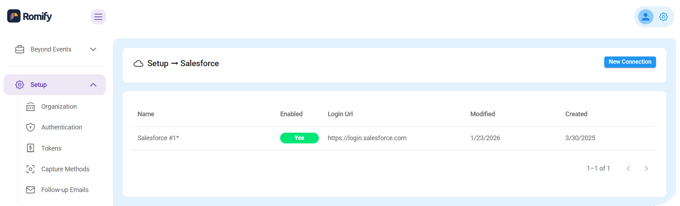
Once three days have passed since an event, many prospects have forgotten the conversation, already booked time with a competitor, or been swallowed by inbox chaos at work. Most lead quality complaints from sales are actually timing complaints – to keep interest, you have to be fast.
2. Context: Qualification Data That Badge Scans Don't Capture
Traditional lead capture also misses context by focusing on contacts alone. A contact is a name and email, whereas a qualified lead records budget, timing, pain points, and buying role while you are still talking. Without that data in the CRM, sales receives a pile of unscored contacts and has to re-qualify everyone from scratch, delaying pipeline by days.
Strong capture workflows include 2-3 branching questions tied to your scoring model during the scan, not after. Think “What’s your current solution?”, “What’s your timeline to switch?”, and “Who else evaluates this?” Mobile forms with large buttons and voice dictation mean reps can tap quick answers without breaking the flow of the conversation.
Each answer maps into BANT-style fields so leads land in the CRM already prioritized. When a rep scans a badge but forgets the intent – like a Q4 budget window or a competitor they want to leave – that lead is unqualified, adding to timescales and reducing the chances of a sale.
3. Attribution: Event-to-Revenue Data Badge Scans
The third gap is attribution. When leads arrive as generic spreadsheet uploads with no standardized fields for event name, campaign, or source, marketing cannot prove which events create a real pipeline.
Proper event lead capture tags every record with campaign data and qualification outcomes as it syncs, so you can measure ROMI instead of guessing from attendance numbers.
“Modern event revenue engines fix this by tagging every lead at capture with event name, booth rep, qualification responses, and a scan timestamp. That data flows into a CRM, so reports show event-sourced pipeline and closed revenue by show. When your sales team wins a deal, you can track it back to the exact booth conversation and event. This makes it obvious which trade shows fund themselves and which to cut.”
~ Ben Jablow, CEO
Take this approach and you can answer “Which events generated closed revenue?” with real figures. A practical way to calculate event ROMI is as follows:
(Qualified Leads × Close Rate × Avg. Deal Size) - Total Event Investment = Net Return
What Event Lead Capture Tools Should Do
Event lead capture tools should behave like a revenue engine. They need to move clean, qualified data into your CRM fast enough that sales can act while conversations are still fresh, and they must leave a clear trail that you can report on later.
A practical framework is to match tools to event volume (5 vs 50+ shows), team structure (one marketer vs distributed pods), CRM maturity (lightweight HubSpot setup vs complex Salesforce org), and regulatory bar (healthcare in Europe vs a local tech meetup).
For CRMs, integration should take no more than 15-30 minutes to initially set up. Map custom and qualification fields, define dedupe rules, attach campaigns, then test one scan to confirm routing and attribution behave as intended.
On the market, leading tools span slightly different philosophies:
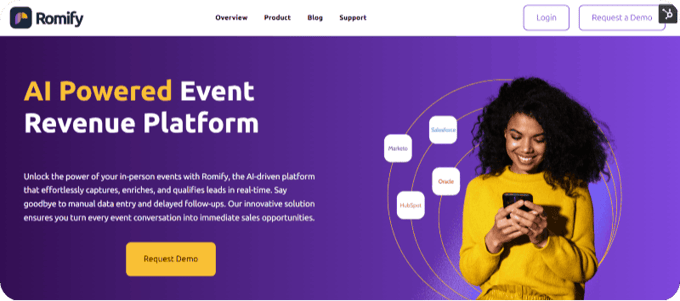
- Romify focuses on universal AI scanning with instant CRM sync and standardized revenue workflows.
- momencio adds behavioral tracking and personalized microsites for richer engagement data after the event.
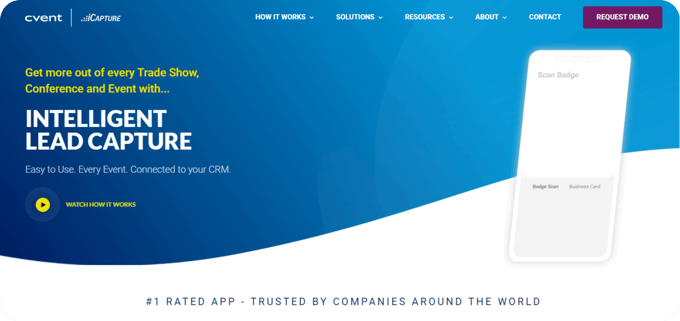
- Cvent LeadCapture fits teams already invested in Cvent's event stack who want capture built into that environment.
Six criteria separate basic contact collection from real pipeline attribution:
1. Speed-to-Lead: Fast Capture, Fast Follow-Up
We’ve already discussed how speed is integral to a successful lead capture process. But a fast approach needs to go beyond capturing info in real time. Most teams only see event results once everyone is home, but an event revenue engine should show live dashboards while the show is in full swing.
Which reps are capturing the most qualified leads? Which flows convert best? And how many conversations are stalling at “scan only”?
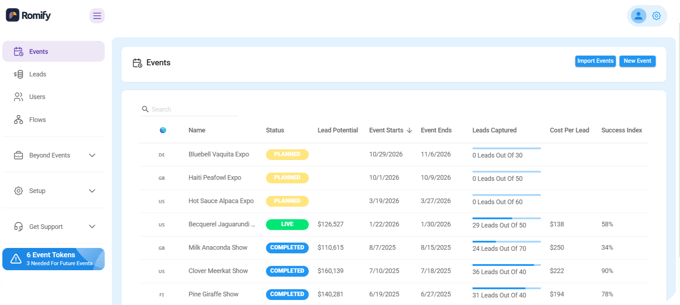
Romify’s Hub dashboard tracks planned, live, and completed event status with lead goals and budget assignment, giving marketing leaders a real-time view so they can coach on the spot.
Afterwards, portfolio-level reports compare qualification rates, speed-to-lead, and pipeline value across all events, so next year’s budget favors the shows that actually move revenue instead of the ones that just feel busy.
2. Universality: Work at Any Event
Universal lead capture software runs on the phones your team already carries, so new devices or rented hardware is unnecessary. Traditional lead retrieval devices often cost hundreds of dollars per unit per event and still lock you into organizer rules and timelines. Most industry events do not expose APIs or standardized data feeds, so rented hardware leaves you dependent on CSV exports that arrive days after the booth comes down.
Using a single event lead capture platform also eliminates repetitive onboarding and process changes from one show to another. When your team uses the same familiar app and workflow at every event, you save hours previously spent learning new hardware, interfaces, or organizer-specific systems. This consistency reduces training time while improving confidence at the event itself. Your team can focus on engaging prospects rather than wrestling with brand new software each time.
“Universal event revenue engines use AI and Optical Character Recognition (OCR) to scan almost any badge design, tag the contact with event metadata and qualification answers, then sync to your CRM. This can all be achieved in seconds, while the conversation is still live.”
~ Ben Jablow, CEO
Because the interface and data model stay consistent across every trade show, dinner, and roadshow, your workflows run like clockwork – and ops teams finally get one clean dataset instead of a patchwork of formats.
3. Offline Reliability: Handle Poor WiFi and Difficult Badges
Event Wi‑Fi fails at the exact moment your booth gets busy. Offline‑first lead capture apps plan for that by writing every scan and note into a local database on the device, then syncing quietly in the background once connectivity returns. Simple caching is not enough at scale. Without a true offline store and retry logic, reps end up re‑entering data or abandoning scans.
AI badge scanning handles standard layouts and clear contrast well, but real shows add complexities. There may be dim lighting, unusual fonts, or lanyards twisting at the wrong angle.
This is where fast business card scanning and quick manual entry become essential fallbacks, as every conversation leaves a trace in your system.
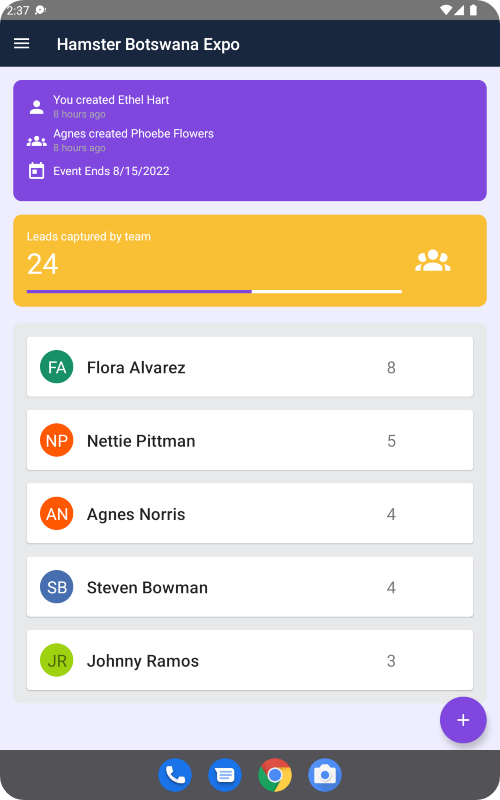
Universal tools such as Romify, momencio, and iCapture scan badges and business cards and then enrich missing firmographic and contact details with AI. Every capture needs context, and Romify ensures you get what you need by offering the following scanning options:
- AI Badge Scanner
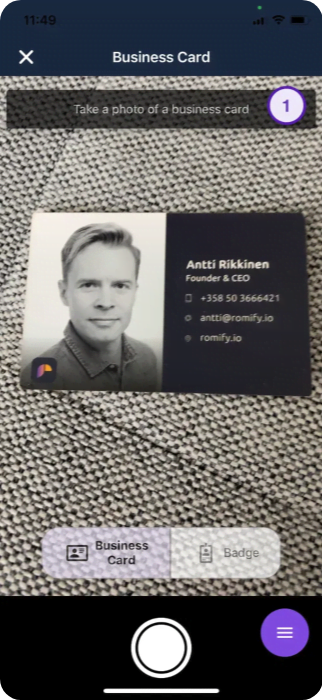
- Business Card Scanner
- QR Badge Scanner
- Digital Business Card Scanner
- Manual Entry
- Known Contact List
- Event Guest List
Check out our business card scanner below:
4. CRM Depth: More Than a CSV Dump
CRM depth is where most tools quietly fail. A spreadsheet upload might get data in, but it does nothing for routing, prioritization, or reporting.
A proper event revenue engine maps every field from job title and product interest to qualification answers. And these fit into the exact CRM properties your team already uses for scoring and assignment. It deduplicates against existing contacts and accounts, attaches the right campaign and event, and flags when a scanned attendee is already part of an open opportunity.
5. Compliance: Consent You Can Prove
As we mentioned, badge scanning alone may no longer count as valid consent in regions governed by GDPR or CCPA, especially in regulated industries. Event lead capture tools need to record explicit “Consent to Process” at the moment of capture, along with timestamps, event details, device identifiers, and, where appropriate, location.
6. Total Cost: No Hidden Surprises
Event lead capture pricing ranges from free single-user card scanners to enterprise engines that cost $8,000+/year. Most serious teams land between roughly $1,000-3,000 per event or on annual subscriptions that cover a portfolio of shows.
Free apps help individual reps store business cards, but they usually skip CRM integration, team management, qualification workflows, offline reliability, and the attribution you need to prove ROMI.
The real budget question is broader than a “how much per badge scan?” question. Hidden costs appear when tools charge extra per event for organizer developer kits or API access to badge data. Then add the time and effort for qualification design, CRM field mapping, rep training, ongoing data cleaning, and attribution reporting. A good event revenue engine makes those steps faster and reusable so your total cost per event drops as you scale.
How Romify Implements Event Revenue Systems
Romify behaves like an event revenue engine by wiring every booth conversation straight into your CRM with the context sales actually needs. It hits all six evaluation criteria:
- Sub‑30‑second sync from scan to Salesforce, HubSpot, or other CRMs.
- Universal capture at any event.
- Offline‑first reliability.
- Deep CRM field mapping and deduplication.
- Enterprise‑grade compliance.
- Subscription pricing instead of opaque per‑device rentals.
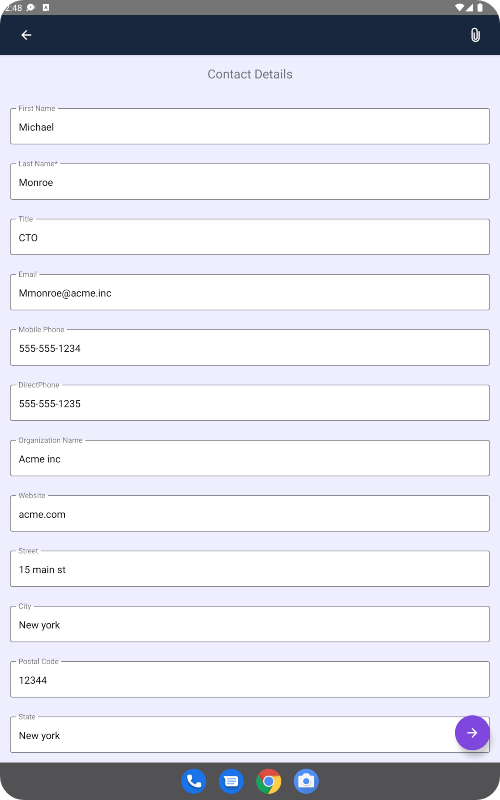
‘Universal capture’ is truly as it sounds – the Romify App runs on your team’s phones and scans badges and business cards, with business card translation in 60 languages. Romify AI reads the badge, enriches the contact, and tags each record with event, booth rep, timestamp, and qualification data before pushing it to Romify Hub and your CRM.
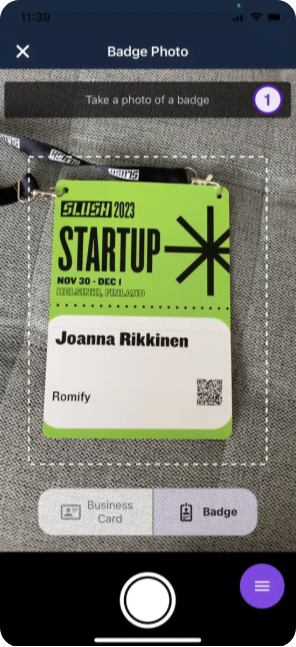
Quick manual entry exists as a fallback, so no conversation leaves the booth unrecorded.
Romify Flows handle in‑conversation qualification using branching logic. If a prospect selects “Cloud Security,” the next question might ask about endpoint volume or compliance frameworks. Should they choose “Data Platform,” it pivots to integrations or latency pain.
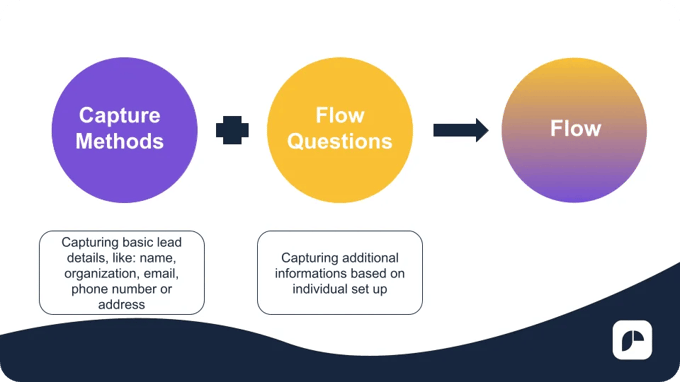 Every answer maps directly to existing Salesforce fields or HubSpot properties, so routing rules, lead scoring, and views work without rebuilding your CRM. Reps can add nuance with voice dictation, capturing comments like “leaving Competitor X, Q4 budget already aligned” without breaking eye contact or wrestling with an unfamiliar handset.
Behind the scenes, Romify uses offline‑first architecture. The app writes scans, qualifies, and notes to a local database on the device. It then syncs in the background when connectivity returns, avoiding the “spinning wheel” failures that plague basic apps.
Romify Hub shows a real‑time dashboard of live events – qualified lead counts, top performers, and flow completion rates – so marketing leaders can coach mid‑show instead of waiting for a post‑mortem.
Data enrichment runs like a waterfall! Once Romify captures a verified email, it hits several enrichment sources in sequence to pull direct phone numbers, LinkedIn profiles, firmographics, and even technographic hints like security stack or CRM in use. And Romify does not stop at “new lead” either. It checks whether the contact already exists in your CRM, whether there is an open opportunity, and how large that deal is. Your team can see when a scanned attendee is already part of an active, high‑value pipeline.
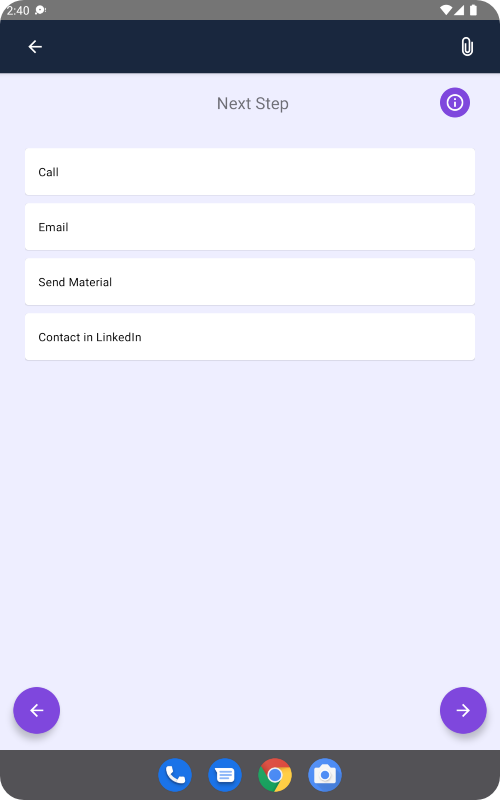
Instant follow‑up ties everything together. Romify can trigger personalized emails within about thirty seconds of capture, using Flows’ responses to choose messaging and next steps while your CRM connector handles field mapping, deduplication, owner assignment, and campaign attribution.
For compliance‑sensitive teams, Romify backs this with SOC 2 Type 2 certification, GDPR alignment, EU data residency in Brussels, and consent capture at the scan moment, including audit trails with timestamps, device identifiers, and location details for every record.
Audit Your Speed-to-Lead
Speed-to-lead is the fastest way to see if your event strategy is working. Before your next show, time one thing – how long it takes for a booth conversation to turn into the first sales touch in Salesforce or HubSpot.
Remember, emails stuck in CSVs for three days are not okay; they are lost deals. Use the criteria in this guide to stress-test your setup against our 30‑second standard.
If you need one standardized workflow that works at every event, see how Romify’s event revenue engine fits into your stack by requesting a demo today.
FAQ
How can gamification be used to improve event lead generation?
Gamification helps event lead generation by trading participation for contact details and conversation time. Interactive elements like spin-to-win wheels, trivia questions, or quick prize drawings pull people out of aisle traffic and toward your booth, giving staff a structured moment to scan badges, ask 2-3 qualification questions, and attach real intent to each contact instead of collecting a list of random swag hunters.