

Every year, companies pour millions into trade shows and walk away wondering where the revenue went. The booths look great, the conversations feel promising, yet a week later, leads are stuck in spreadsheets or dropped in a CRM upload queue.
The real problem isn’t usually found in the hired event scanners themselves, but in the overall system. An efficient process needs to be able to capture, qualify, integrate, and ROI measurement – fully in sync, and using a single, unified system.
If you’re looking for solutions, welcome to our guide! We’ll show you how to connect the dots and capture every meaningful interaction, qualify prospects on the spot, sync cleanly into your CRM within 30 seconds, and prove to your CFO that events actually drive revenue.
5 Key Takeaways
- Speed-to-lead is a strategy – your follow-up clock should start the moment a lead is scanned, not when CSVs arrive.
- The biggest challenge for apps comes in plugging hidden leakage – clunky workflows and disconnected tools ruin sales.
- Universal systems are needed for comparable data across 10, 20, or 50 events a year.
- Offline resilience is a revenue boost – if Wi‑Fi failure means lead failure, your event model is fragile by design.
- Romify matters most where proving Return on Marketing Investment (ROMI) to a CFO is non-negotiable and every booth conversation needs a measurable pipeline outcome.
The Cost of Slow Follow-Up
Lead retrieval pulls attendee data from the event organizer's system using official scanners or portals. Lead capture is the end-to-end process: scanning badges, qualifying prospects, routing to the CRM, and triggering follow-up. Most exhibitors confuse the two and treat retrieval tools as a complete solution.
Every lost lead tells a story, and it’s often down to ineffective lead capture systems. Trade show chaos rules when capture and follow‑up workflows don’t keep up with real‑time conversations. Hardware breaks, batteries die, and rental scanners may bamboozle your booth staff at critical points. Then comes the wait for everything to sync with your CRM rejected uploads. Slow follow-up wastes prospects’ time and reduces the likelihood of maintaining interest.
Speed Wins Deals
Whether you rent the official badge scanner or try a mobile lead app, response time decides everything. Rental scanners mean waiting up to two days for exports before anyone can act. Meanwhile, someone else gets the deal. Third‑party mobile apps that sync instantly to your CRM eliminate that delay and enable same‑day outreach – prospects are 21x more likely to qualify.
Most B2B buyers go with whoever responds first. Miss the five‑minute window, and your qualification odds collapse. Past the hour mark, and it’s nearly impossible to re‑engage.
Fragmentation Demands Universal Solutions
Every event feels like starting over. One organizer hands you a portal login, another sends a zipped CSV, and a third gives you an outdated API link. Multiply that by twenty shows, and your team will spend more time chasing files than nurturing leads.
“Each new format introduces new mistakes and delays, leaving your CRM riddled with inconsistencies. The result is missed follow‑ups, uneven reporting, and no reliable way to compare performance across events. A non-unified system usually leads to chaos.”
~ Michelle S., Event Marketing Director
Rental Scanners Cost More Than You Think
Those ‘official’ event scanners might seem convenient, but their cost is often highly inconvenient! A handful of rental units across five staff and twenty shows easily turns into $45K-$60K a year, and that’s before integration headaches begin.
Add the hours spent fixing CSVs, deduplicating contacts, and chasing down lost fields, and your convenient option suddenly gets expensive. The true cost is found in lost opportunities, wasted admin time, and delayed follow‑ups that kill momentum before it starts.
Event Revenue Systems That Stop Waste
Let’s take a look at the top-rated trade show lead capture apps, their pros, cons, and why universal revenue engines give you the command center your strategy needs.
Romify
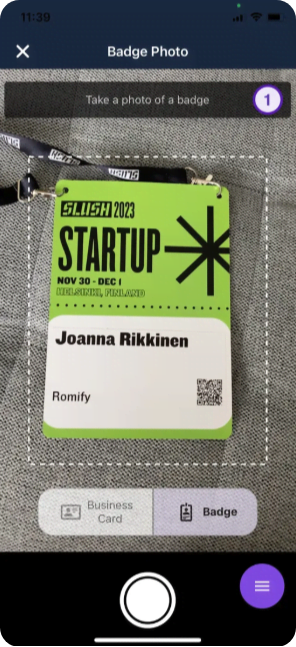
Romify treats every event as part of one system. It uses AI-powered badge scanning that works without organizer APIs, so your team can capture badges at any event, even when the organizer doesn’t offer native lead retrieval tools. If your prospect doesn’t have a scannable badge, no matter – you can scan from business cards, digital cards, input entries manually, or select from a known contact or event guest list. Check out the Romify badge scanner below:
It’s also a great lead capture tool for venues with poor or no internet connection. The app works offline, storing data locally and syncing automatically when the connection returns. This protects your leads from convention center Wi‑Fi failures.
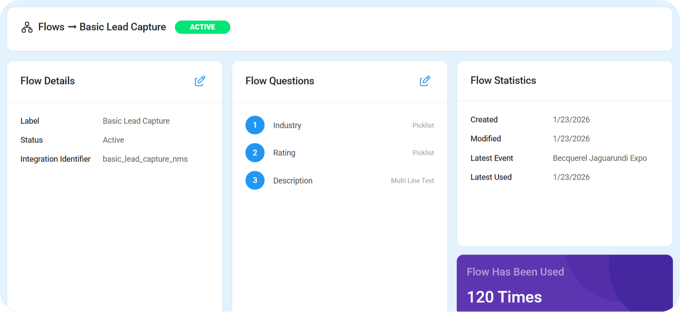
Flows let you qualify prospects in real time and route hot leads instantly to sales, instead of dumping everything into a generic list for manual triage later. A single interface means one training session and consistent workflows across shows, with no CSV exports or portal logins in sight.
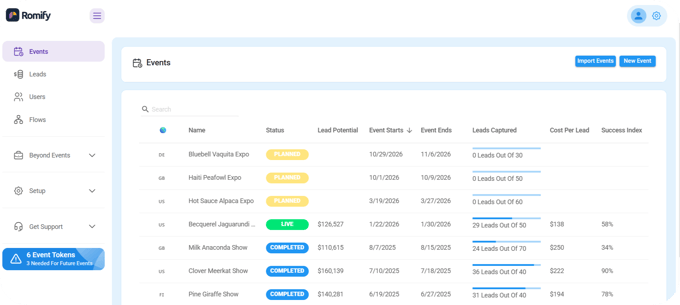
You can see Romify’s Hub command center below. This gives you real-time visibility into the pipeline by event and status, helping leadership decide which shows deserve more budget.
Romify is also built for enterprise expectations, coming with GDPR-compliant processing, and infrastructure designed for global teams handling attendee data from EU and beyond. ROMI dashboards focus on pipeline attribution and influenced revenue rather than vanity scan counts, which makes CFO conversations much easier.
Best for: Romify fits best for founders and executives at companies that run 10+ events per year and need hard proof that event spend produces revenue, not just “engagement.”
iCapture by Cvent
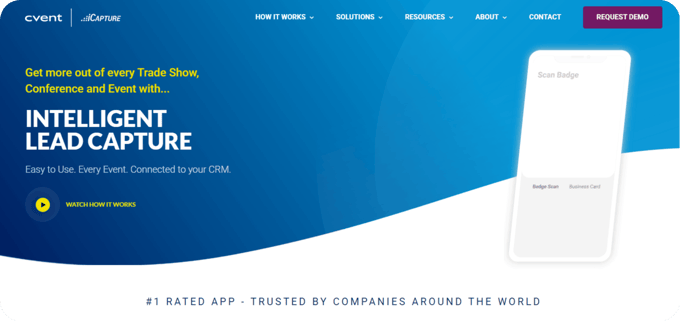
iCapture’s data transcription differs from standard OCR business card scanners. It takes a different path by combining OCR with human transcription teams who manually review and correct scanned business card data after the event. This improves formatting accuracy and reduces typos, especially for complex designs or non-standard layouts.
iCapture is appealing to legacy enterprises that value pristine data over immediacy and already accept longer response times as normal.
Cvent LeadCapture
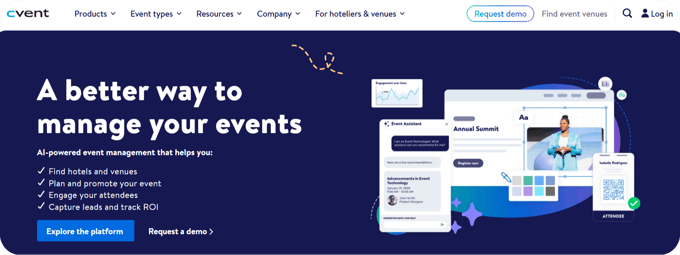
Cvent LeadCapture lives inside the broader Cvent event management platform and works well when the organizer uses Cvent for registration and onsite services. Exhibitors can scan attendee badges, rate leads, add notes, and trigger basic follow-up content from a single app tied directly to the Cvent event.
But here’s the catch – it is designed for events running on Cvent. For your team, that means one experience at Cvent-powered shows and a completely different setup everywhere else.
Best for: Cvent LeadCapture suits companies that mainly exhibit at Cvent events and don’t mind fragmented data elsewhere.
momencio
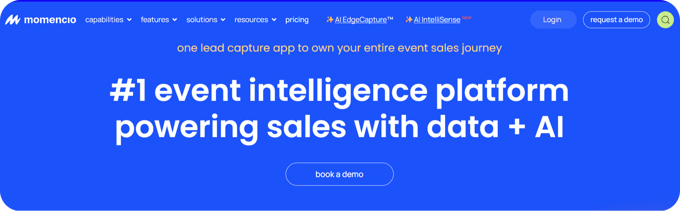
momencio goes beyond badge scans by tracking how attendees engage with your content, booth interactions, and follow-up assets. Its AI-driven scoring prioritizes leads based on behavior and qualification data so sales can focus on high-intent contacts first.
To unlock that value, you invest time upfront. For busy booth staff, that additional workload can feel heavy when there’s already enough to do in qualifying, capturing, and greeting the next person in line with a beaming smile. Overall, momencio behaves more like a content and engagement platform than a pure revenue engine.
Best for: momencio fits long-cycle enterprise sales motions where detailed content journeys matter more than instant CRM sync.
Popl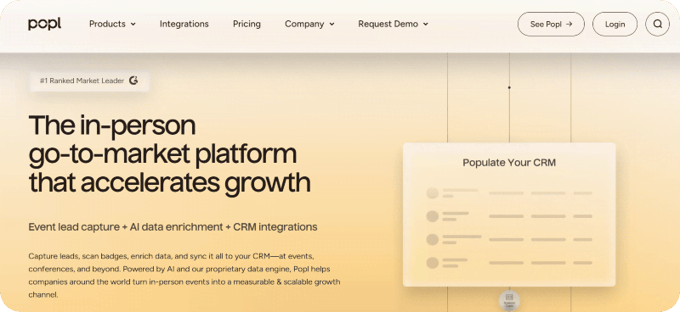
Popl began life as a digital business card app and is expanding into team-focused event lead capture. It shines for 1‑on‑1 networking – reps tap or scan to share their card, capture basic lead info, and sync to popular CRMs. But for large booths, it hits limits quickly.
Best for: Small teams or individual reps who care most about networking, personal brand building, and having a modern alternative to paper cards.
Mobly
Mobly positions itself as a cost-effective alternative to traditional badge scanners and higher-priced platforms. Its pricing makes it attractive for young companies that want to replace rental hardware without a major software commitment. However, you trade away more advanced capabilities. Positioning and materials focus on basic capture, enrichment, and sync rather than deep offline architecture, granular routing rules, or a central command center for multi-event portfolios.
Best for: Mobly fits budget-conscious startups with modest lead volume, where keeping costs low matters more than squeezing every point of conversion from a heavy event program.
momFree Options
Free apps for scanning business cards at events exist, but they’re more emergency backup than system.
Google Drive and iPhone Notes can scan business cards or documents into images or PDFs, which you later use to type contact details into a spreadsheet or CRM. They offer no structured qualification fields, no CRM integration, and no automation, so everything from data entry to deduplication happens by hand after the show.
For a single small event, that might be tolerable. For teams attending multiple shows a year, it quickly turns into late-night spreadsheet sessions, inconsistent data, patchy follow-up, and way too much caffeine.
Best for: Free scanners work as a last resort, but they’re not a viable system for multiple events and efficient trade show lead capture.
Lock Your Configuration Before Booth Setup Day
Scrambling with settings on booth setup day is how expensive events give you nightmares for weeks after. Be sure to tick the following checklist before your first prospect drops by, and remember Benjamin Franklin’s advice – ‘fail to prepare, prepare to fail’:
- Verify CRM field mapping by pushing five sample records that cover common cases – think new lead, existing contact, missing email, updated title, and account match.
- Make sure duplicate rules behave as expected instead of creating messy copies your ops team must clean up later.
- Build one shared qualification Flow with clear branching (e.g. ICP fit, non-ICP, partner, job seeker) and assign it to every booth user.
- Configure routing so hot leads auto-assign by territory or round-robin while warm leads route to nurture.
- Run a 30-minute live training session about 10 days before the event so staff can practice the full scan-to-CRM workflow together.
Verify Offline Mode Works Too
“In the spirit of ‘what if?’, assume the venue Wi‑Fi will fail at the worst possible moment. Before you trust any lead capture tool, run a hard offline test. Turn off Wi‑Fi and cellular, then capture three test leads with different qualification paths. Reconnect and confirm they appear in your system with correct fields and timestamps.”
~ Janice A., CMO
If they vanish, that’s a deal-breaker. A reliable tool writes data to local device storage when offline, then uses a background sync queue to push everything to your CRM once the connection returns.
Convention centers with thousands of attendees often overload networks, and cloud-only apps tend to freeze or lose records under that strain, which directly risks pipeline from your busiest show hours. In such cases, an app with offline mode is a superpower.
Take Command of Your Event Revenue
Every year, trade shows quietly drain your budget through slow follow-up, scattered tools, and leads that never reach sales. The fix is found in a system that connects capture, qualification, routing, and reporting into a single workflow your team can rely upon.
Start small to prove the value. Run a pilot at your next event, compare same-day follow-up against your old CSV-dominated process, and measure the lift in pipeline and conversion. If it works, roll that system across your full event calendar.
If you’re ready to take control of your lead capture process, request a Romify demo and book a pilot for your next event.